PartPerfect is being used as a tool by choirs, choruses, quartets and other music groups to help level up their members on learning new music. This page has some information for MDs, section leaders and others that may help you incorporate PartPerfect into your music assessment and distribution of new music to members.
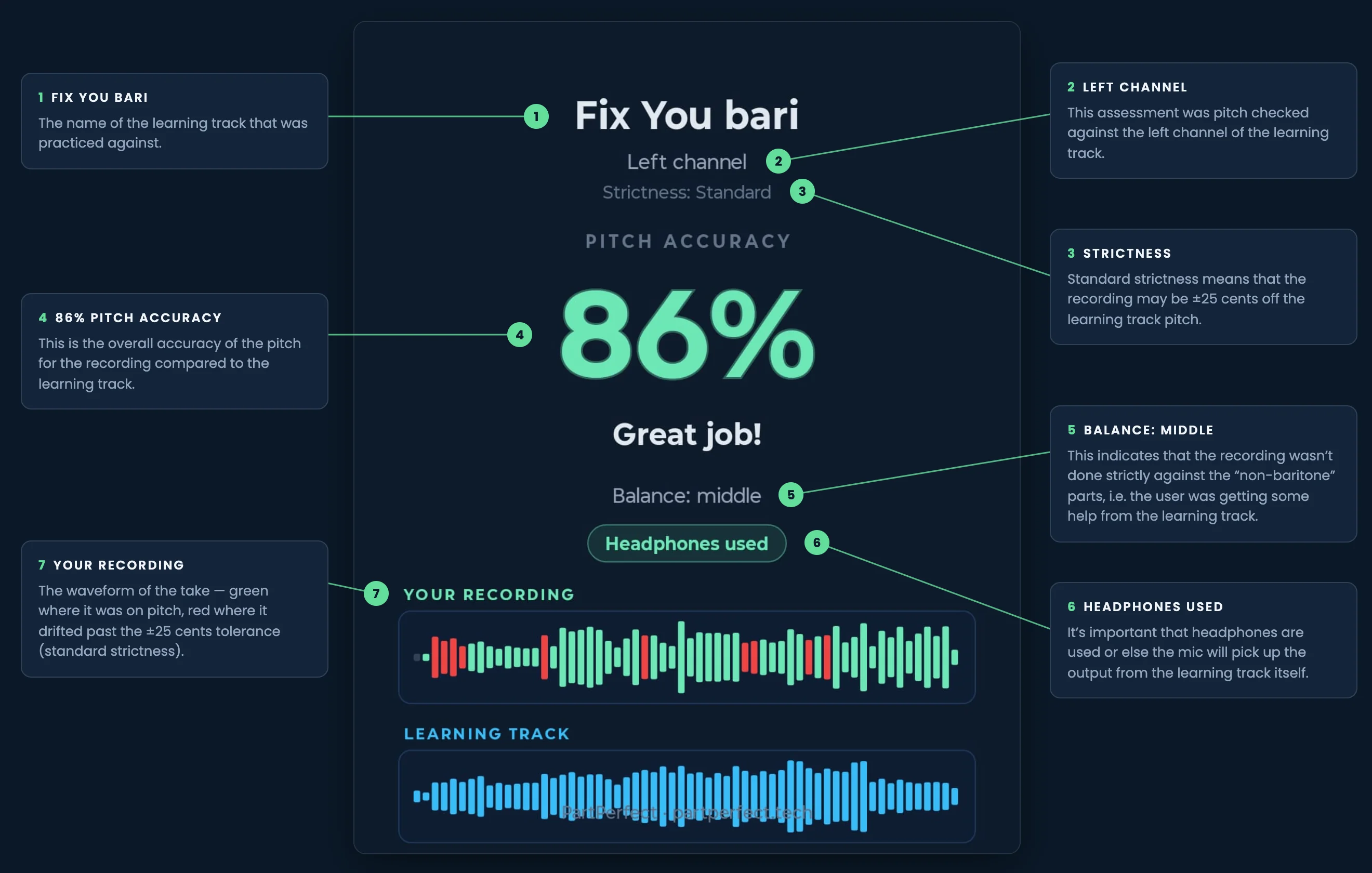
When PartPerfect users record themselves against a learning track and check the pitch, they get a shareable results graphic. This badge provides “proof” of how they did. This graphic can be shared with music leaders and provides valuable insights into how well they have learned their part.
Although PartPerfect can't assess things like breath placement, vowel agreement etc., it can provide a level of “quality control” in your assessment workflow. We have feedback that some groups require a pitch accuracy score of a certain level prior to human assessment for other singing issues. The diagram below shows what to look for when a PartPerfect user shares their results with you.
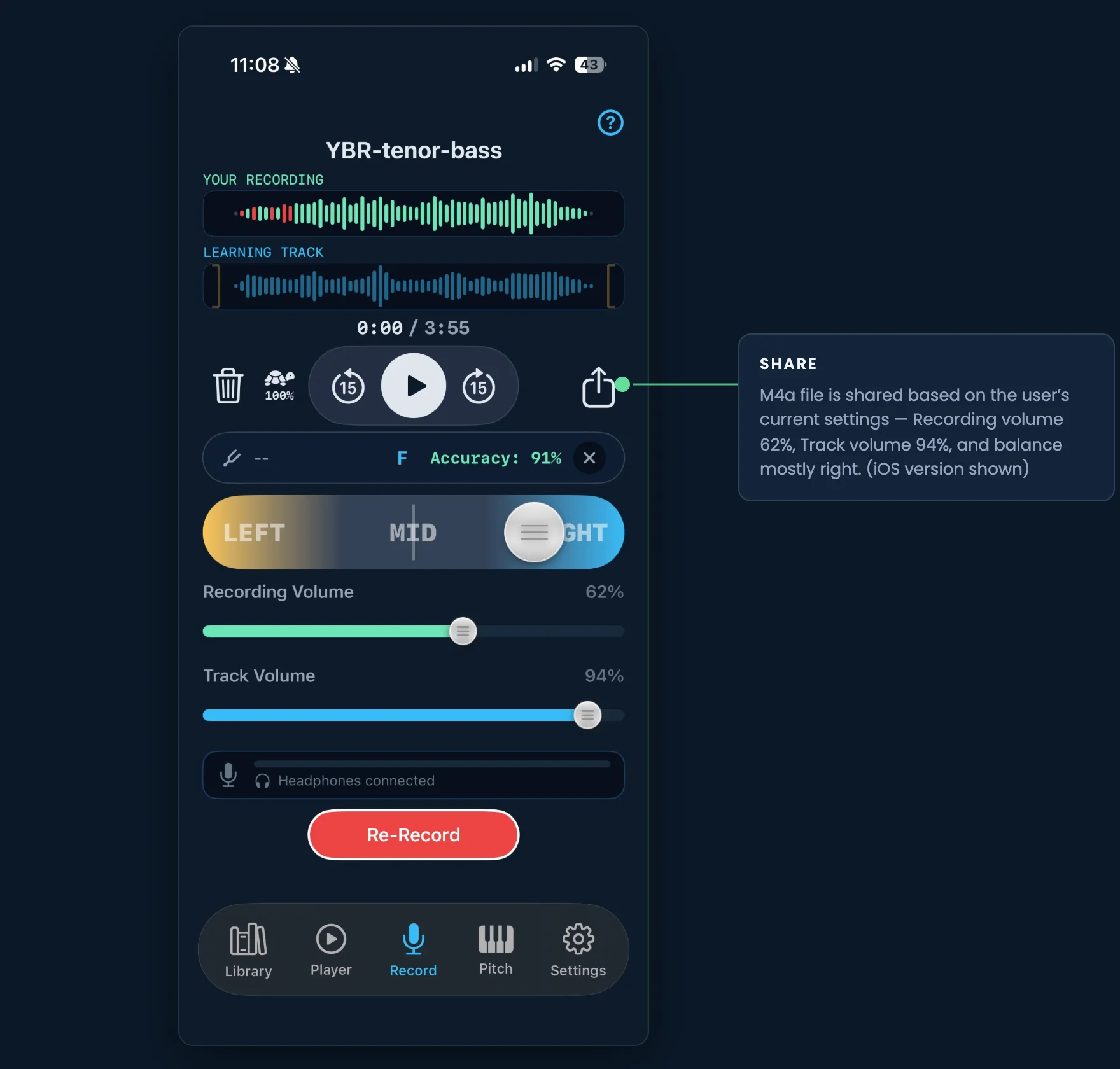
Users may also send you their recording to review. They can send the mixed version of their recording from the Record tab. This is a simple share that generates an M4A audio file. The file inherits whatever volume, balance and crop settings the user has currently selected. For example, they may have the balance all the way to the right, and the learning track volume at 0% (silent). This generates a file that only plays on the right channel, and only has the recorded voice, not the learning track. Recordings may also be shared from the Sessions tab. This will share with whatever recording settings were last used for that session.
You can share individual learning tracks or sheet music from the library with any of your contacts. Sharing works for social media, email, cloud storage providers like Google Drive or Dropbox, or whatever sharing methods exist on your device. It uses the standard built-in sharing feature for your phone or tablet.
You can also share “bundles” of learning tracks and sheet music that are in folders in your PartPerfect library.
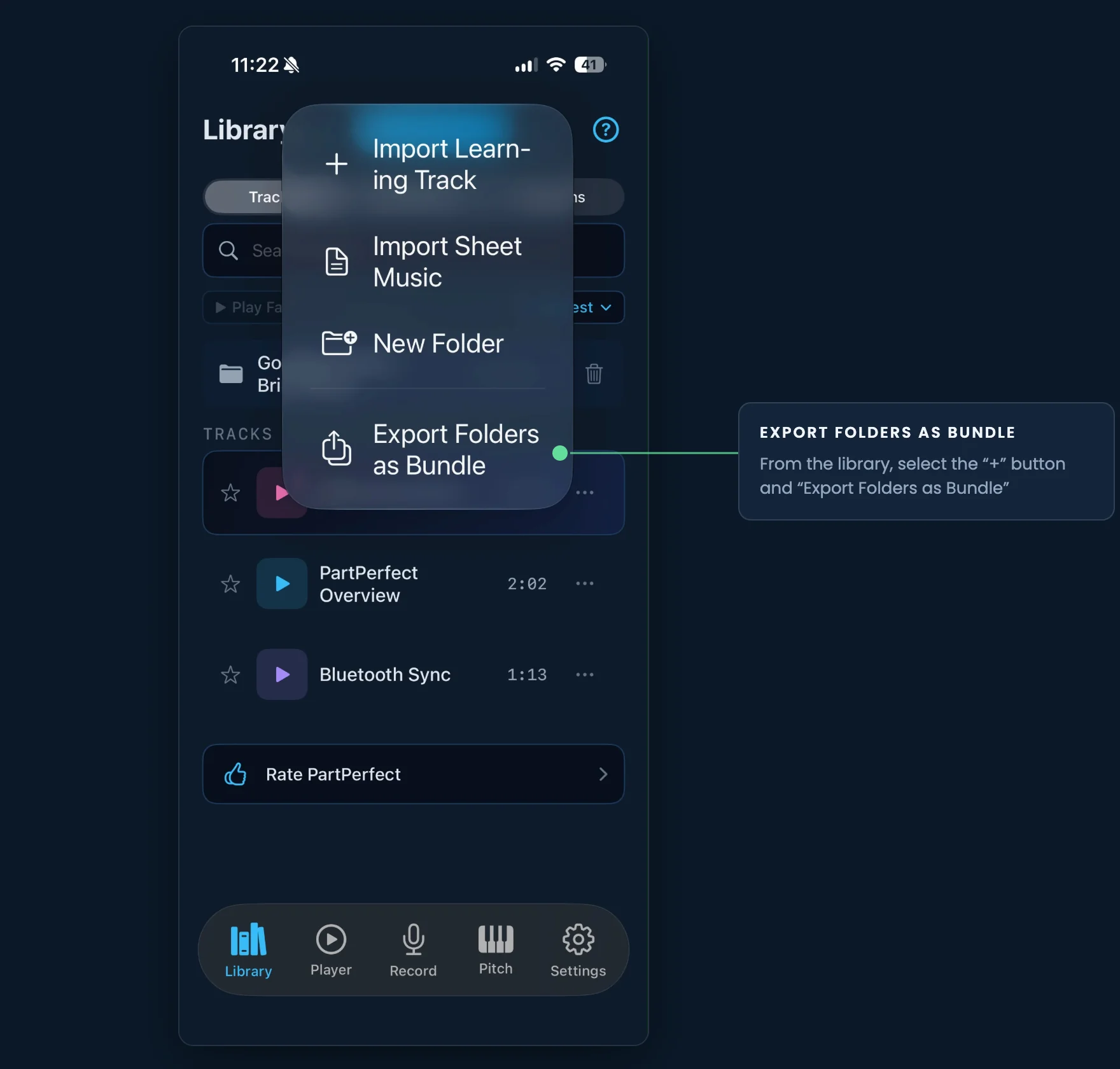
This feature creates a “bundled” file that is essentially a zip file made specifically to be read by PartPerfect. This resulting file can be shared just like an individual file through any of your built-in share services. Keep in mind however, if you are bundling a lot of tracks or sheet music, the bundle may exceed the size limit for some services like email, so you may wish to share to services that accept larger file sizes like Google Drive or Dropbox.
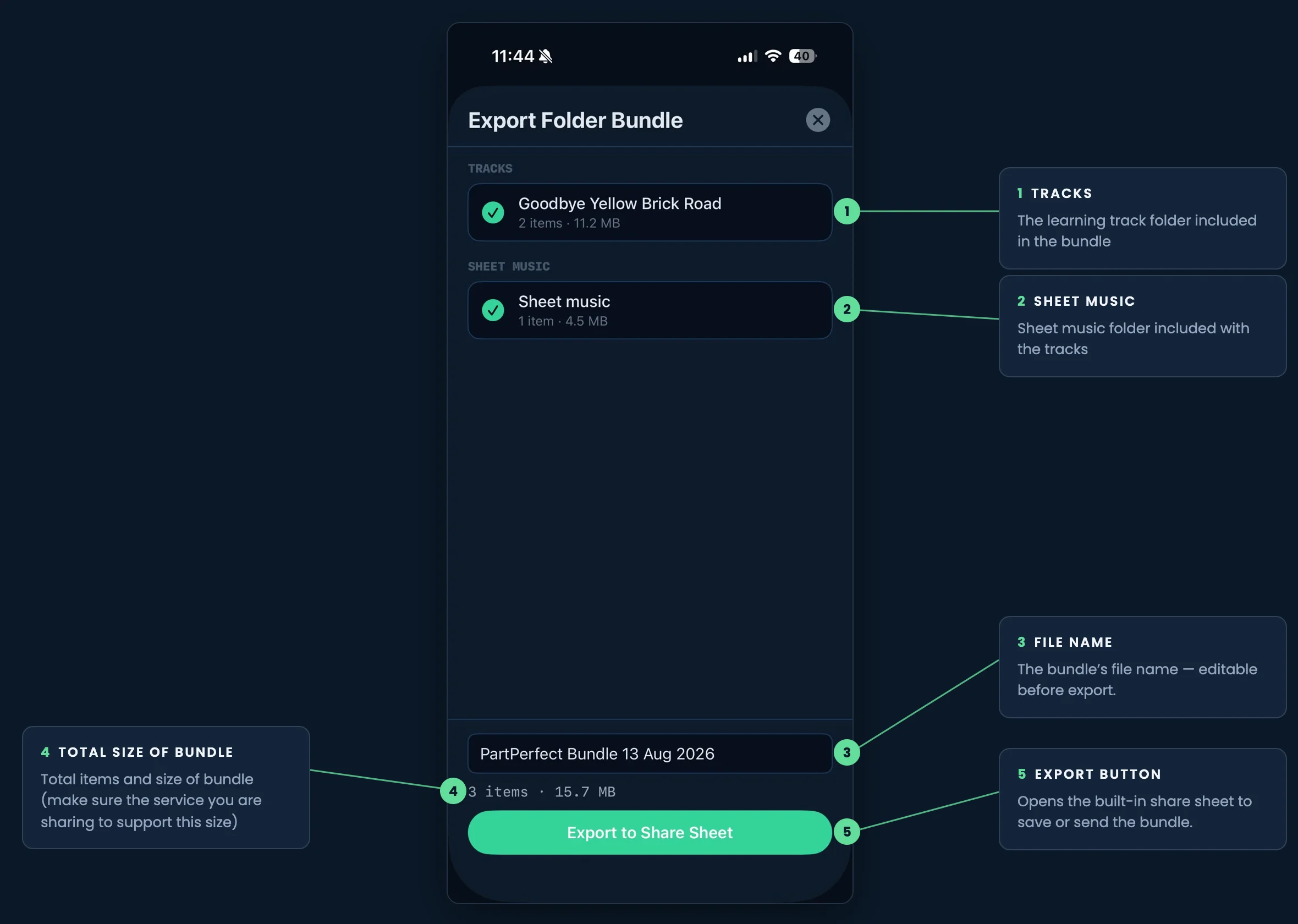
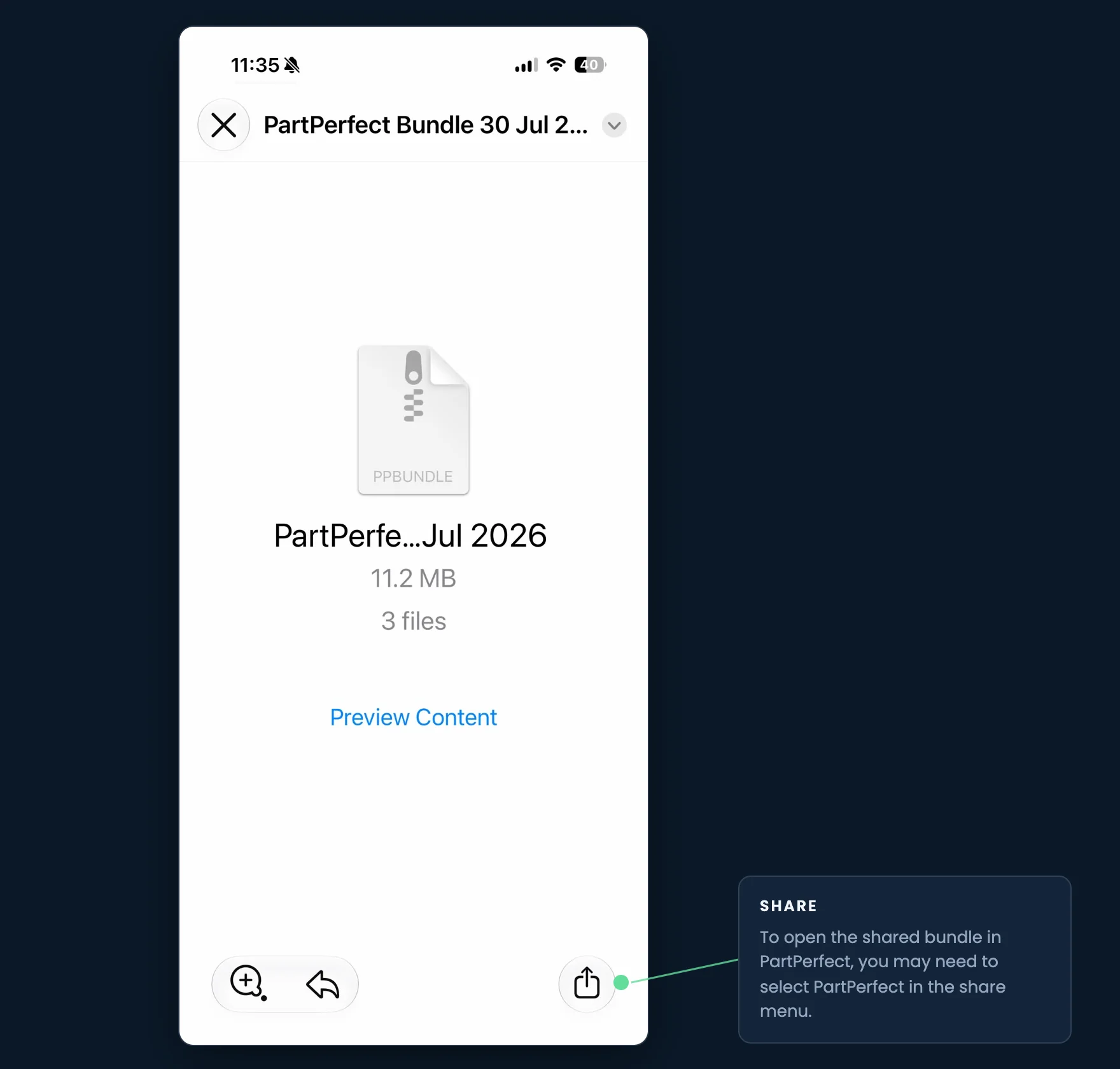
Once the file is shared, you can send a link to the file to any of your PartPerfect users in your group. They can open the file with PartPerfect.
PartPerfect is in active development and new features are coming every few weeks. Do you have a particular feature or problem as a music leader that PartPerfect can solve? I've set up a forum category just for you here. Would love to hear how your group is using PartPerfect and what you would like to see for features in upcoming releases.